SecurityScorecard // 2024
Real-time alerts for security monitoring
Role
Designer
Timeline
1 Quarter
Team
1x Engineering Manager
6x Developers
1 Product Designer (me)
OVERVIEW
How can we provide customers with radical transparency around security incidents?
SecurityScorecard needed to inform customers of third-party risk as quickly and directly as possible.
Product Strategy
Thinking broadly about alerts, the notification landscape, and the role of real-time monitoring in the cybersecurity space.
Prototyping & Testing
Iterating weekly on designs and rapidly testing interfaces with users.
PROBLEM
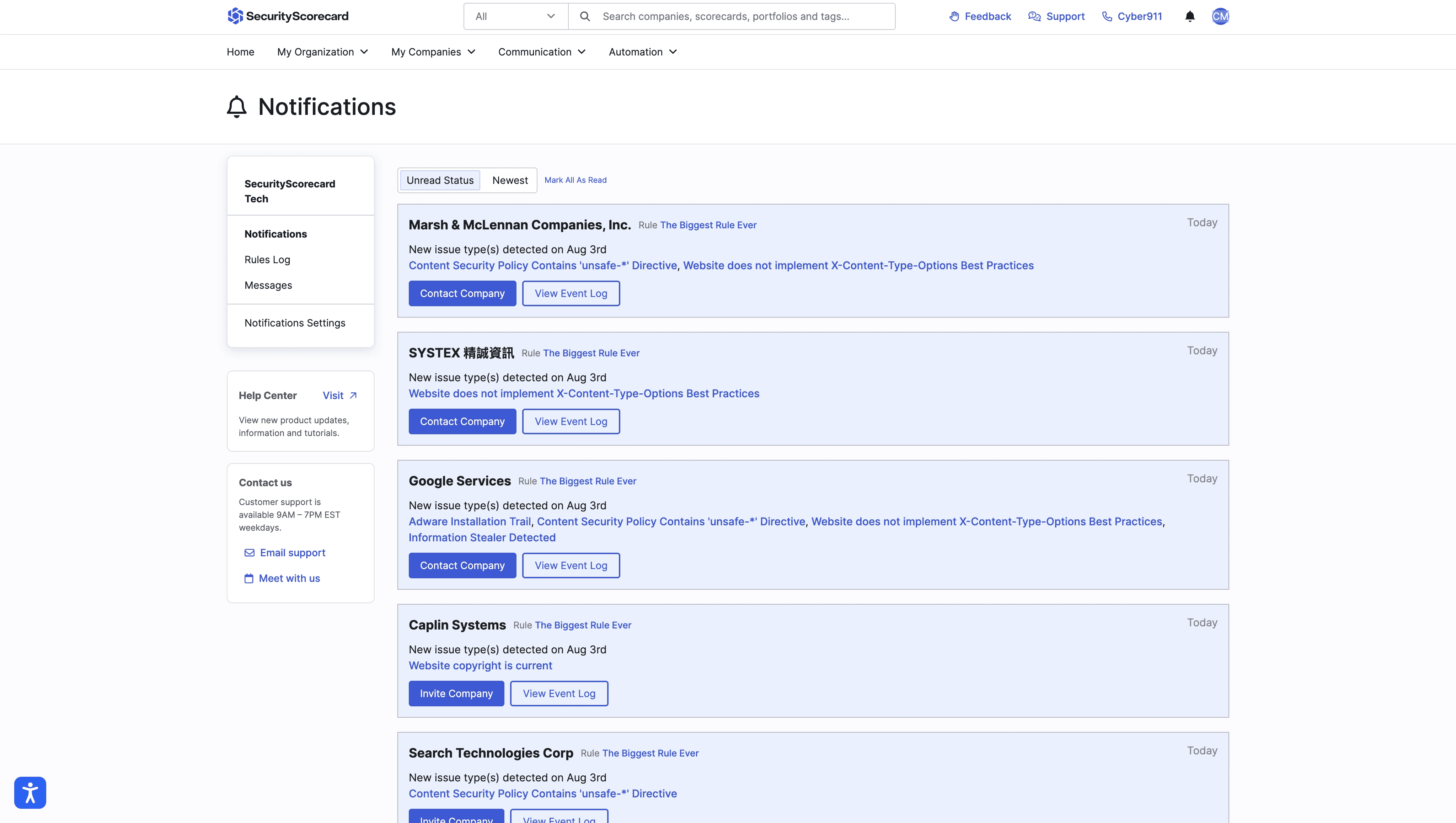
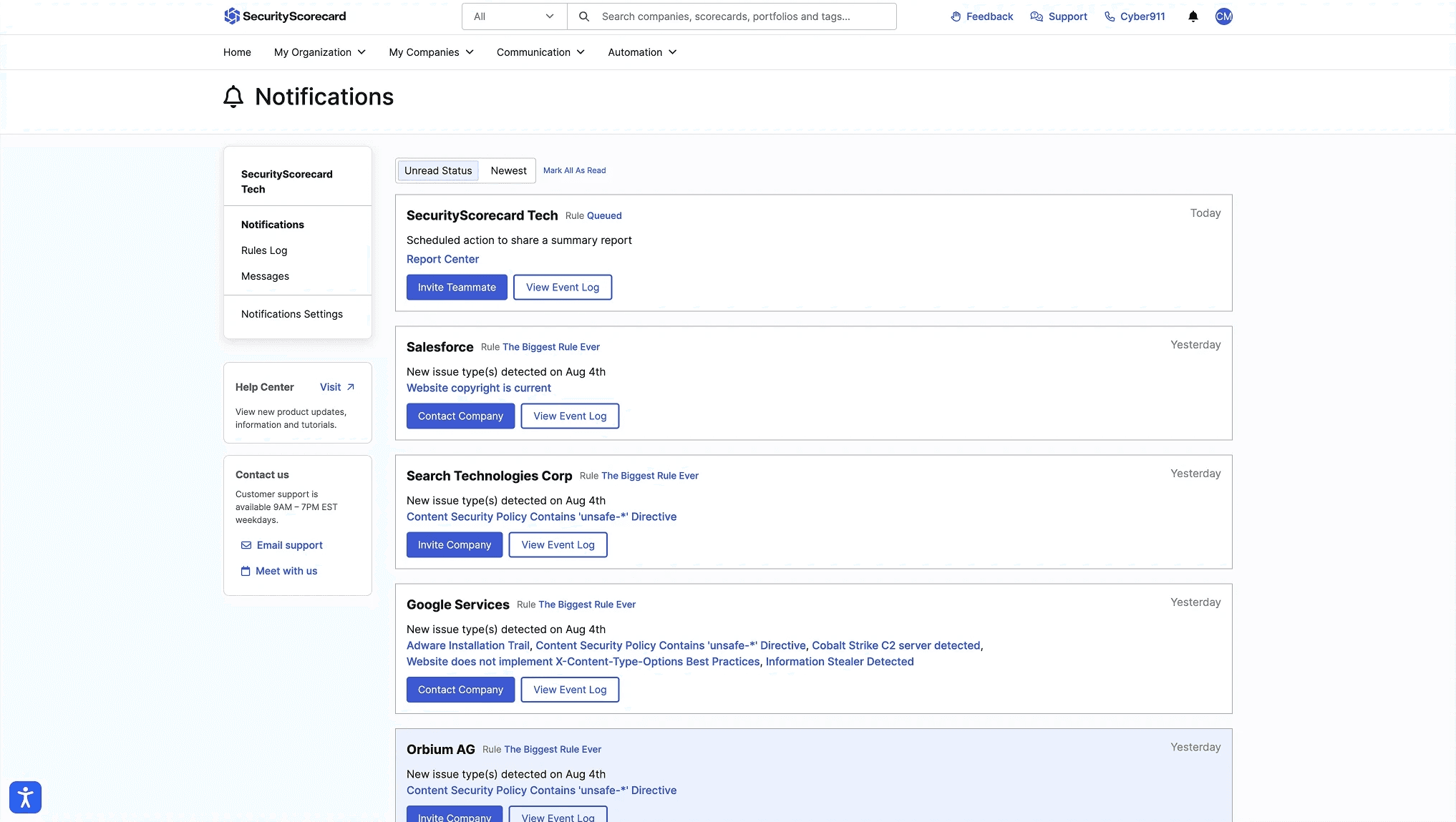
Customer alerts are confusing and not actionable
Customers don't find our current alert functionality useful. Worse yet, they're complaining about it!
OPPORTUNITY
Transform how customers actively monitor changes in their cybersecurity ecosystem
Alerts should be SecurityScorecard's strength. Security ratings platforms are becoming commoditized, but timely delivery and actionable information are differentiators. Currently, the limited existing functionality suffered from:
Controls
lack of intuitive controls for managing alerts. No way to quickly filter and reduce all alerts to meaningful ones.
Relevant actions
Available actions aren’t relevant to the content of the alert. They aren't contextually relevant.
Information architecture
Alert language and links are long and confusing, difficult to understand
RESEARCH
Researching alerts and the current cybersecurity market
I went deep into understanding alerts across consumer tools, enterprise software, security companies, and more.
Analyzing functionality across personal apps and security giants like Wiz, and designed for an experience that will show users how the immediate value of SecurityScorecard.
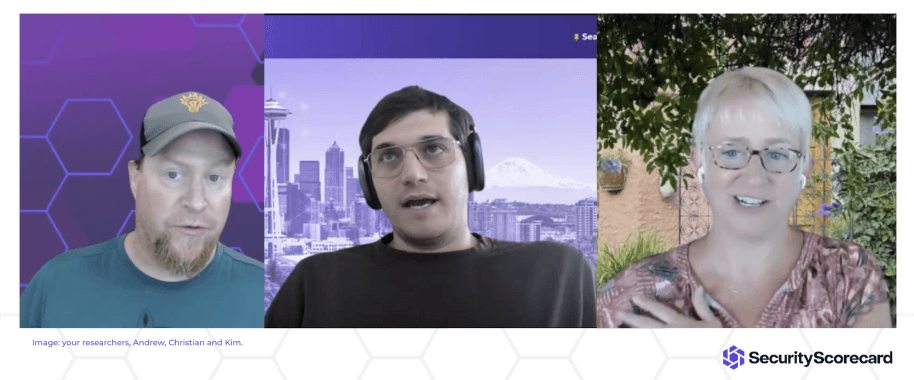
Customer interviews
Chatting with customers highlighted the importance of timeliness more than anything. They were eager to get emails as soon as something of note happened, not sent at some point within our 24 hour batch email process.
After entering the platform there wasn't clarity around which notification had triggered the email alert or what the recommended steps were to deal with the alert.
Security competitors
I analyzed alerts from competitors but decided Wiz was the best example of an email service with alerts.
Their use of integrations and variety of relevant actions motivated me to focus on crafting notifications with recommendations that would make people's lives easier.
Monitoring solutions
We receive so many notifications that it can become dizzying. Rather than send a constant stream of alerts like some mobile apps, customers expressed a desire for less more detailed and relevant notifications.
JIRA was mentioned by multiple customers as an example of doing effective summary notifications for lesser alerts while providing immediate longer form emails related to time-sensitive alerts.
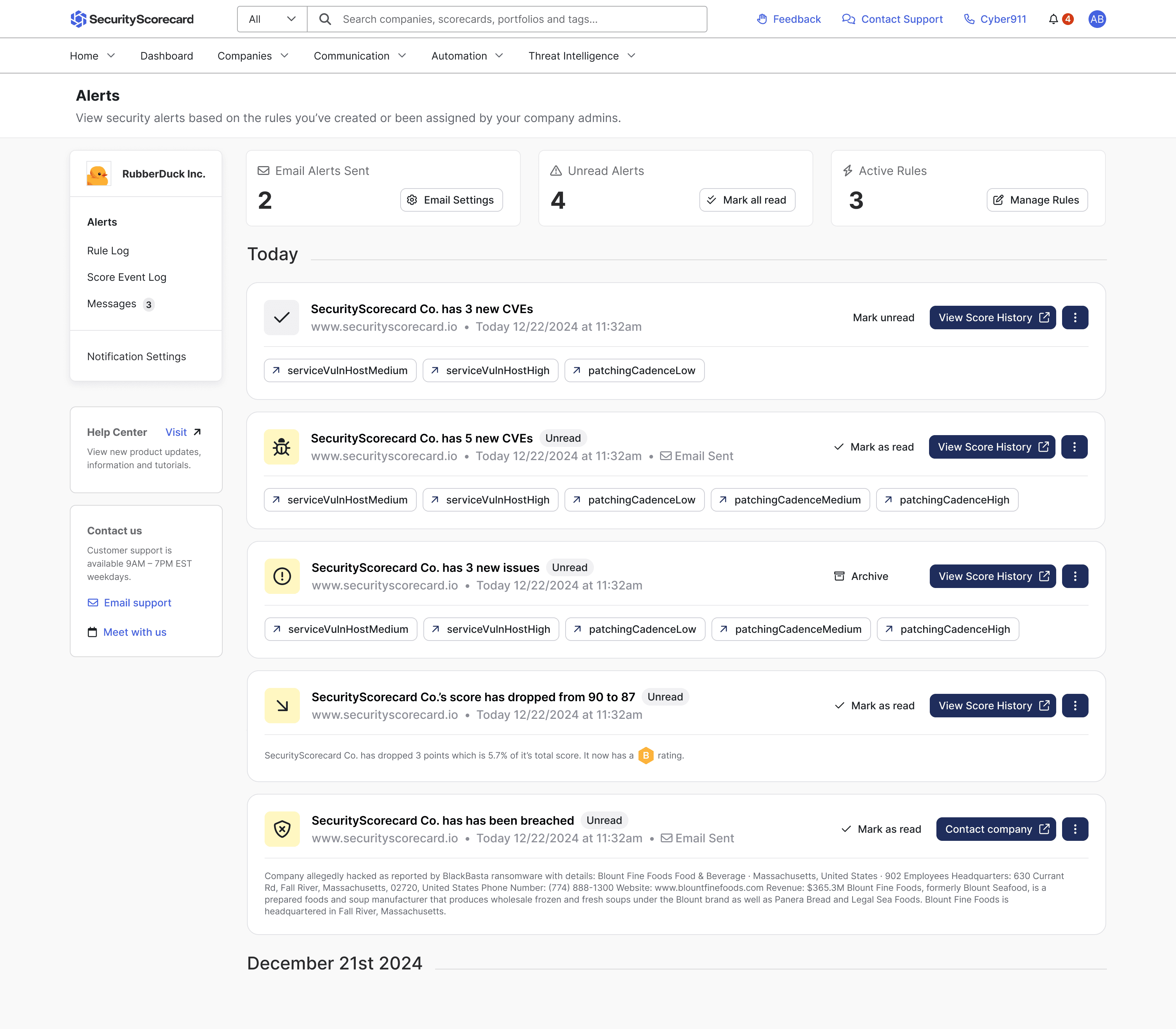
STRATEGIC DIRECTIONS
Exploring product direction and form factor
Mobile notifications
Alerts need to be accessible from anywhere without having to login to the SecurityScorecard platform.
In-app alerts
One authenticated users needed clear and pertinent information on changes in their security ecosystem.
Scanability
Alerts needed to deliver information fast.
Action-oriented
Once informed, users should be able to take immediate action based on their new knowledge.
EXPLORATIONS
Analyzing direction and current experience
The current notification experience was hampering users ability to scan and quickly deduce what the alert was about to take a relevant action.
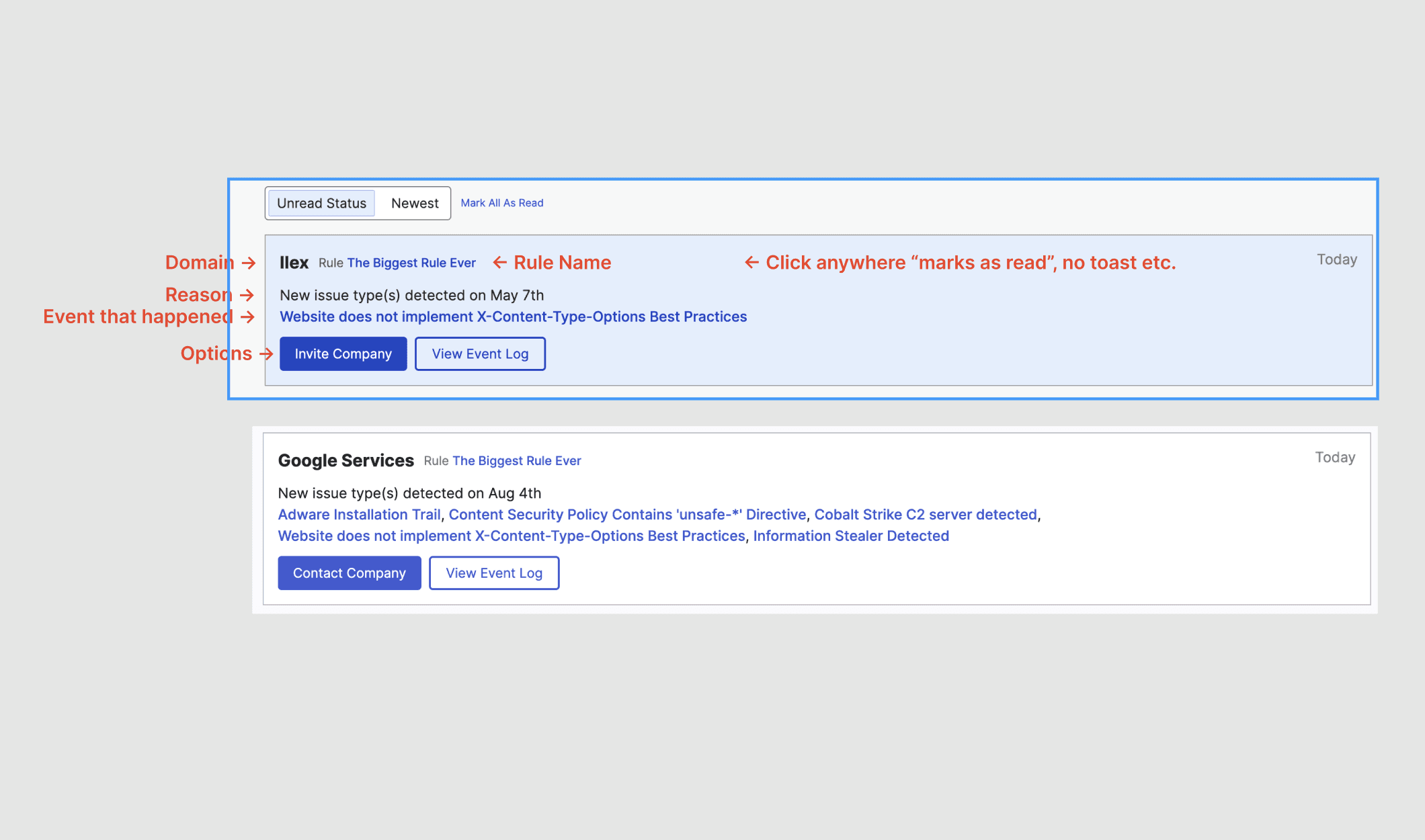
Poor interaction design
Clicking an alert would change it's color from blue to white, alerts themselves weren't interactive other than that. The color change wasn't recorded anywhere, but it was reminiscent of an active and inactive state.
Lots of color
The colored links, CTAs and colored alerts themselves pulled the eye in many directions without a clear focus.
Little variety
There were three different alert CTAs across alerts. These actions weren't tied to the information in the alert itself.
ITERATION 1
First I'll improve the page’s actions and hierarchy
Ripping it apart and putting it back together helped me understand what existing data was available to work with.
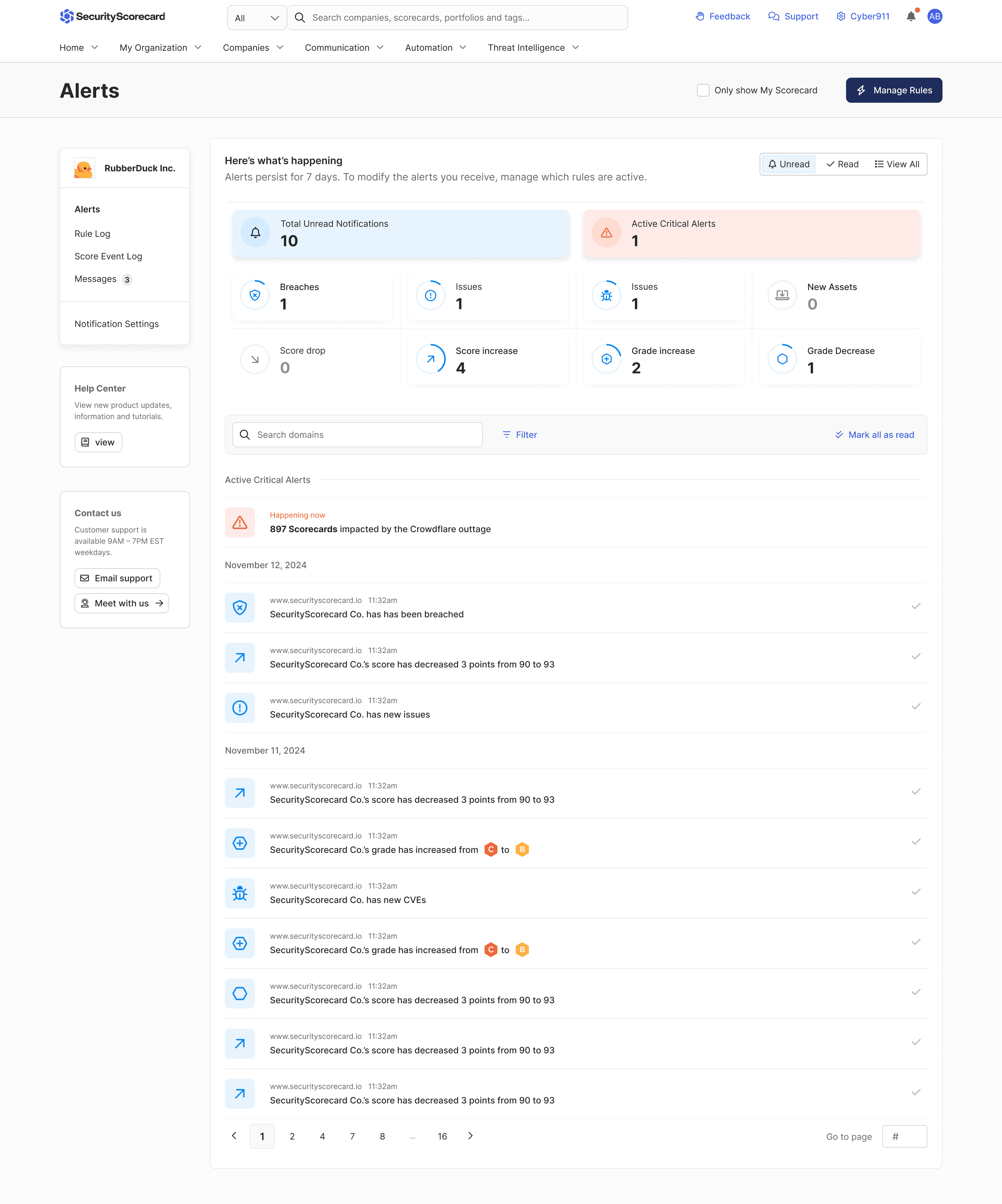
Alert Content
Maintained current alert contents, as a way to understand the data available within current alerts.
Organization
Implemented controls for marking alerts as read.
Information architecture
Improved timeline by grouping alerts by date. Used icons to separate alert types.
ITERATION 2
Improving the page’s information architecture
Cleaning up extra data to improve scan-ability, simplifying interactions and delivering a suite of organization tools.
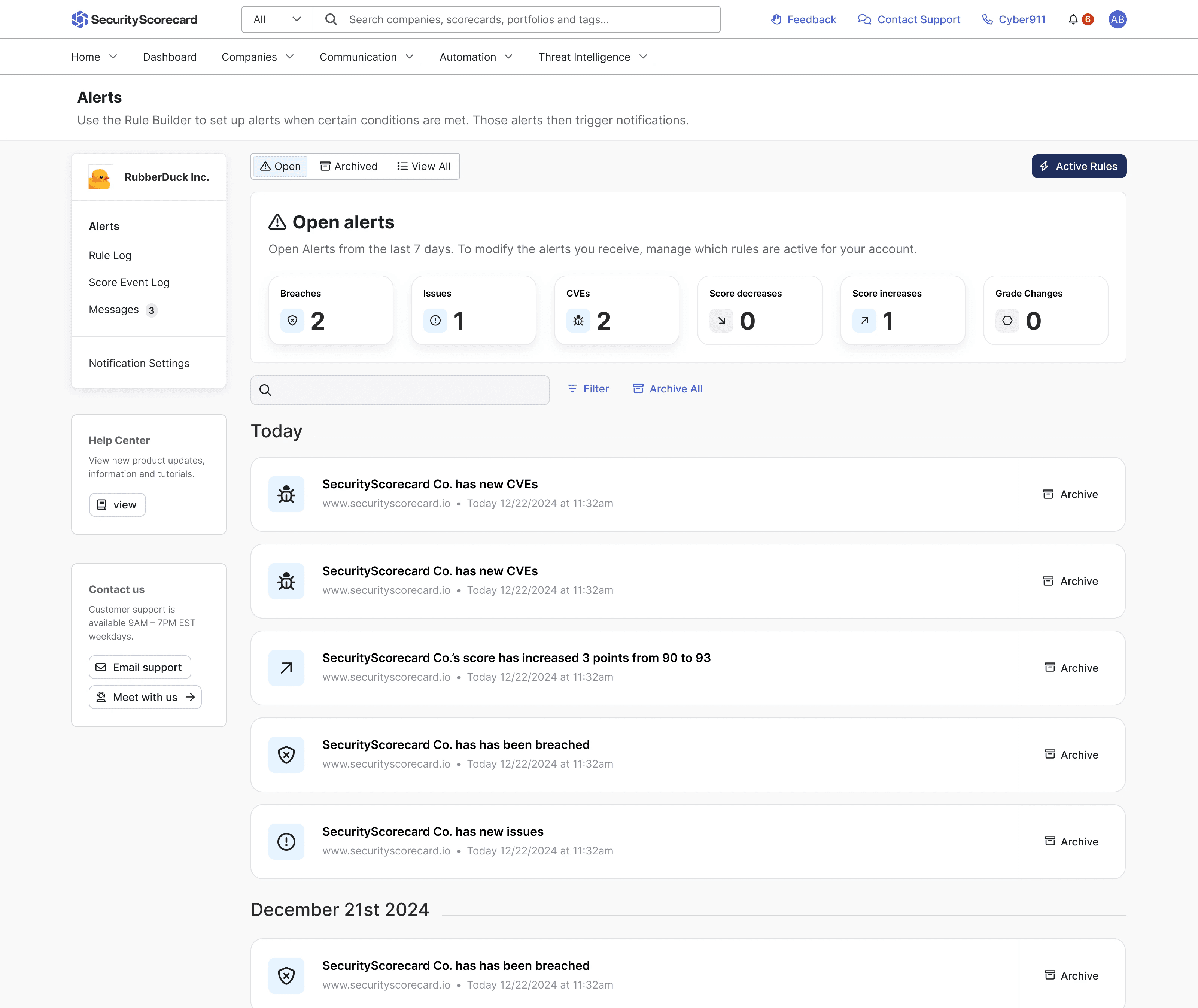
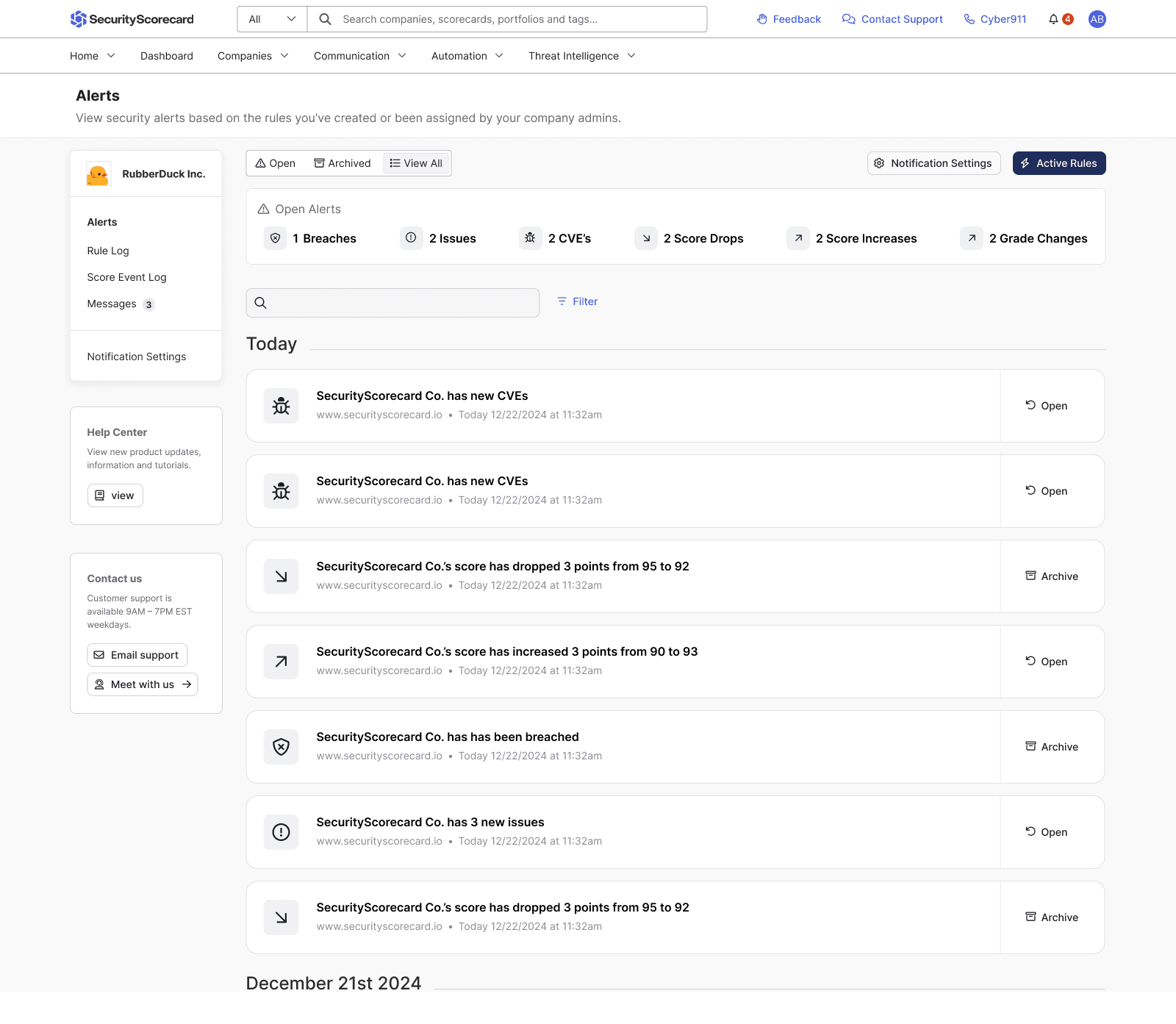
Alert Content
Simplified interaction, each alert is clickable. Added interactive indicators for alert types.
Organization
Added filters for comprehensive investigation. Keyword and domain search to improve finding specific alert results.
Information architecture
Simplified content to improve scan-ability, labels and actions.
ITERATION 3
Creating durable patterns that scale for new alert types
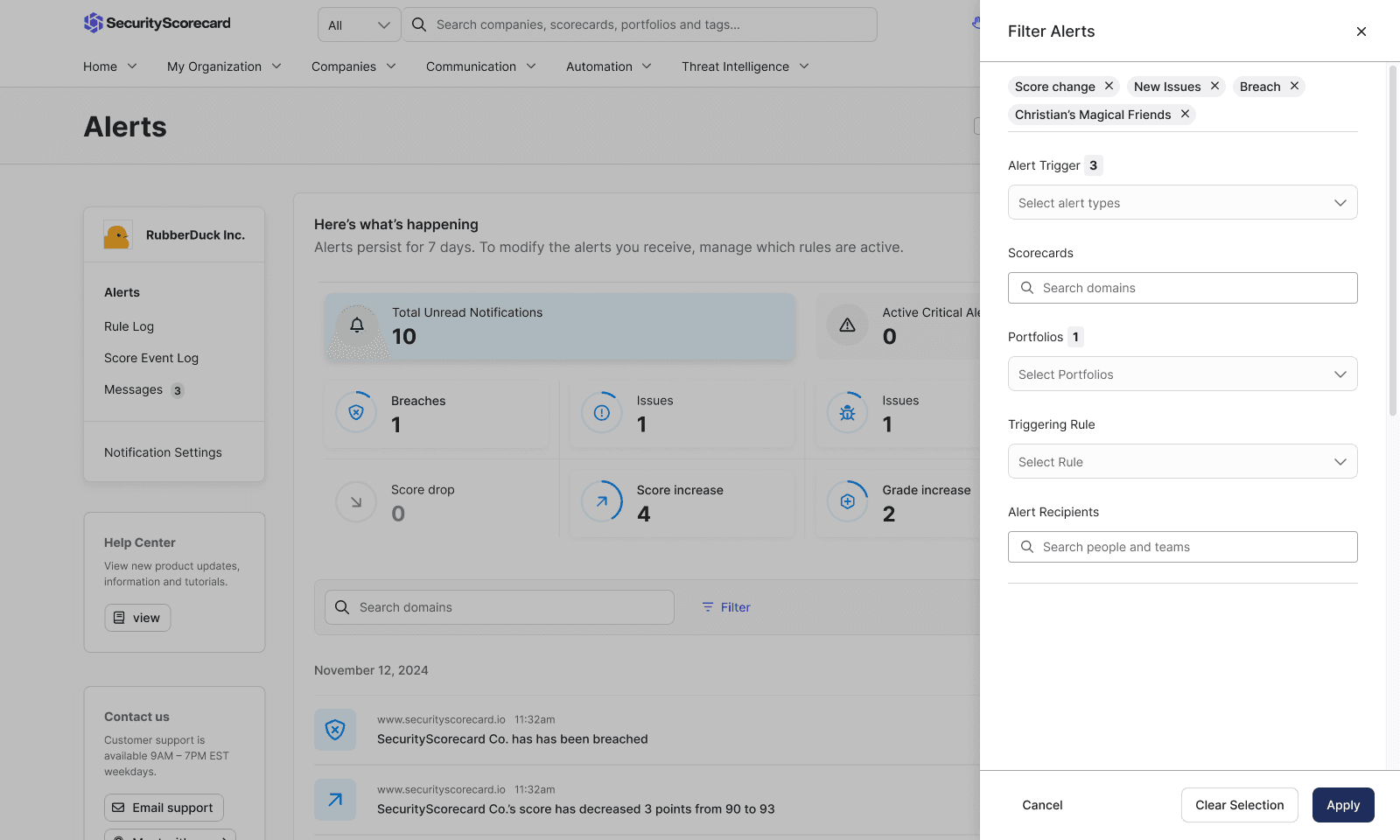
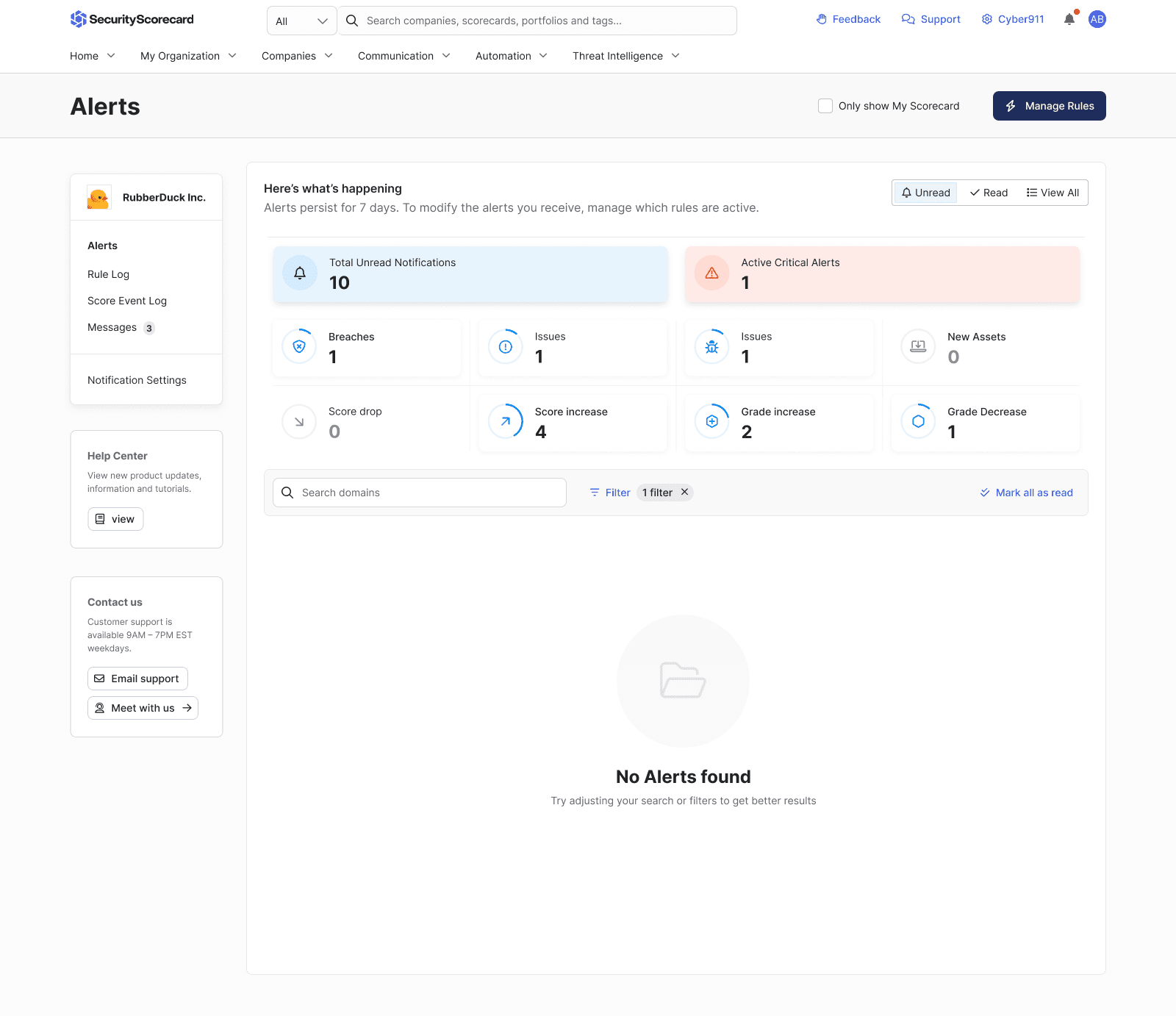
Accounting for future alert types and reasons we might alert our customers. Making alerts more compact to further increase visibility on screen.
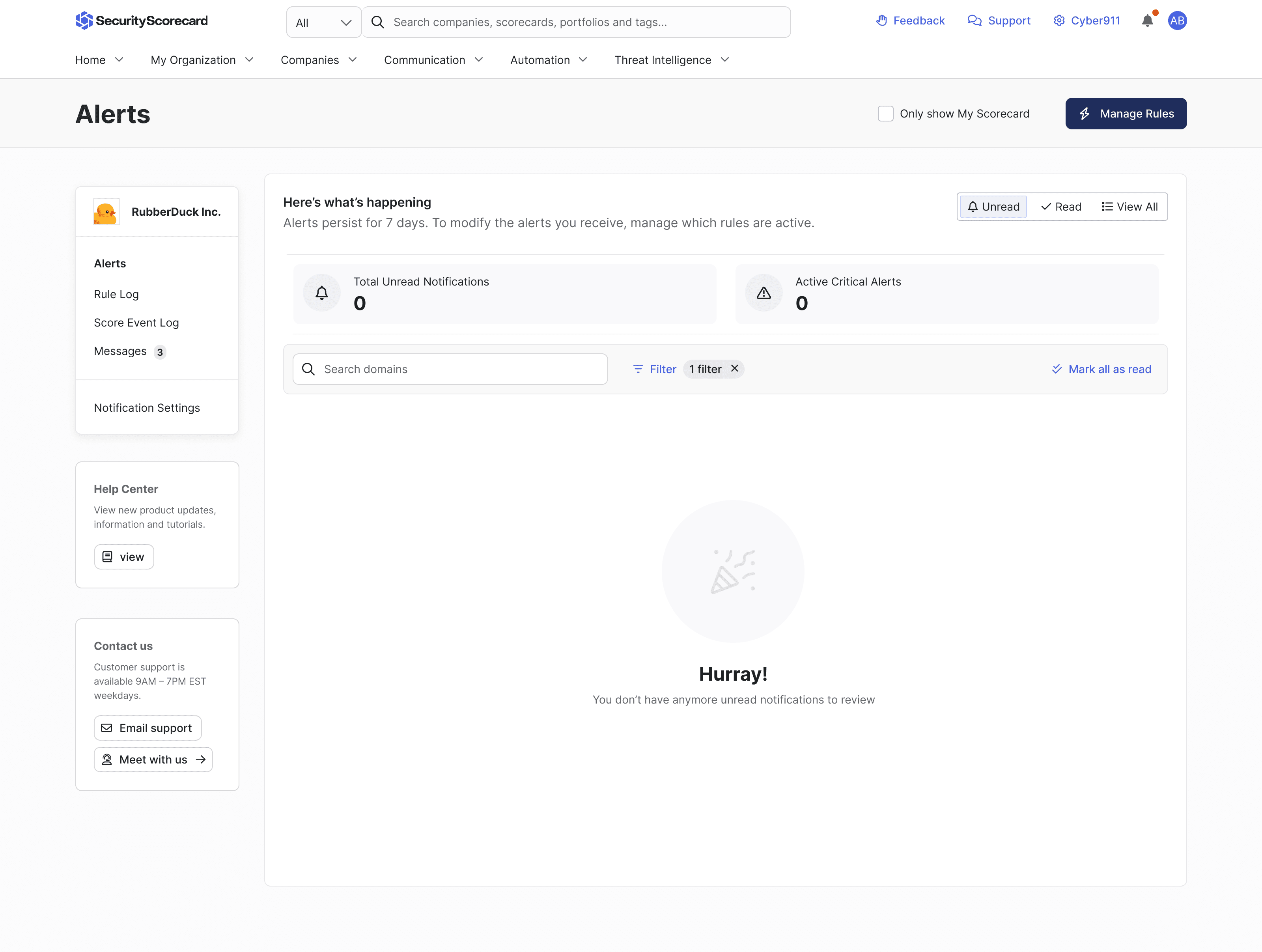
Alert Content
Made alerts more compact to increase the amount visible on-screen at any certain time.
Organization
Grid pattern for dashboard quick filters. Mark all as read to “clear” alert inbox.
Information architecture
Pagination to reduce latency, and color coding for read, unread and critical alerts.
PROTOTYPES
Prototyping interfaces for holistic security monitoring
My prototypes helped guide user research and product requirements documents before being used by the platform team to help guide interaction design.
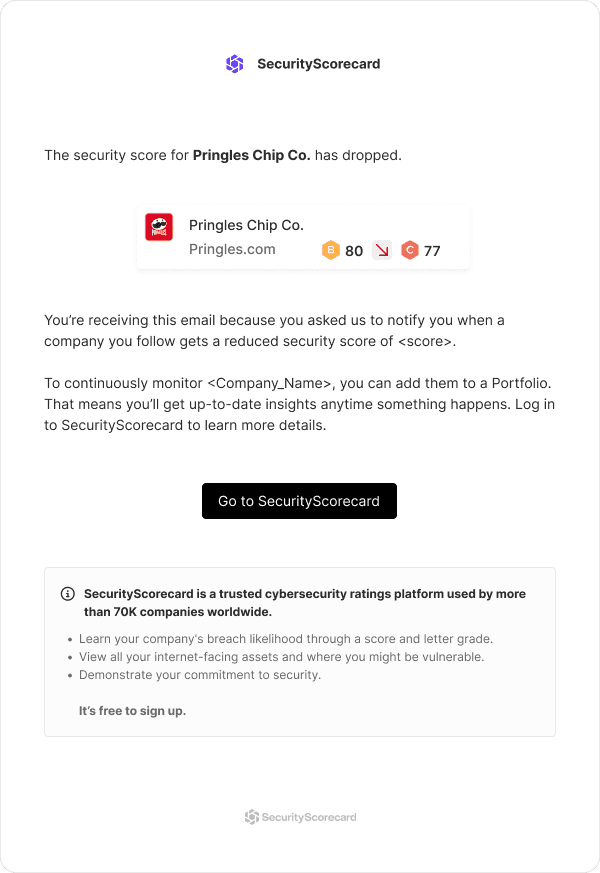
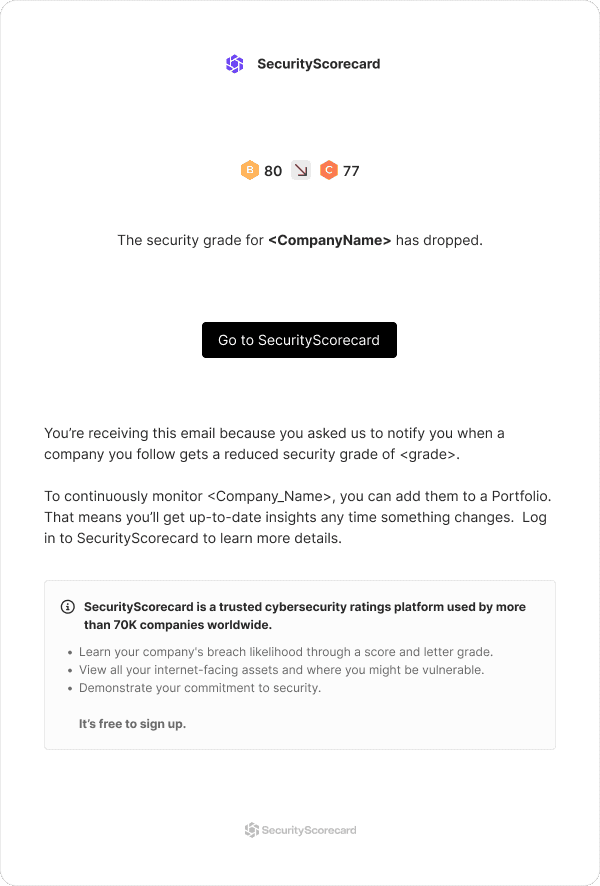
Email alerts
Concise emails explained why users were receiving the alert and brought them to the alert section of security scorecard.
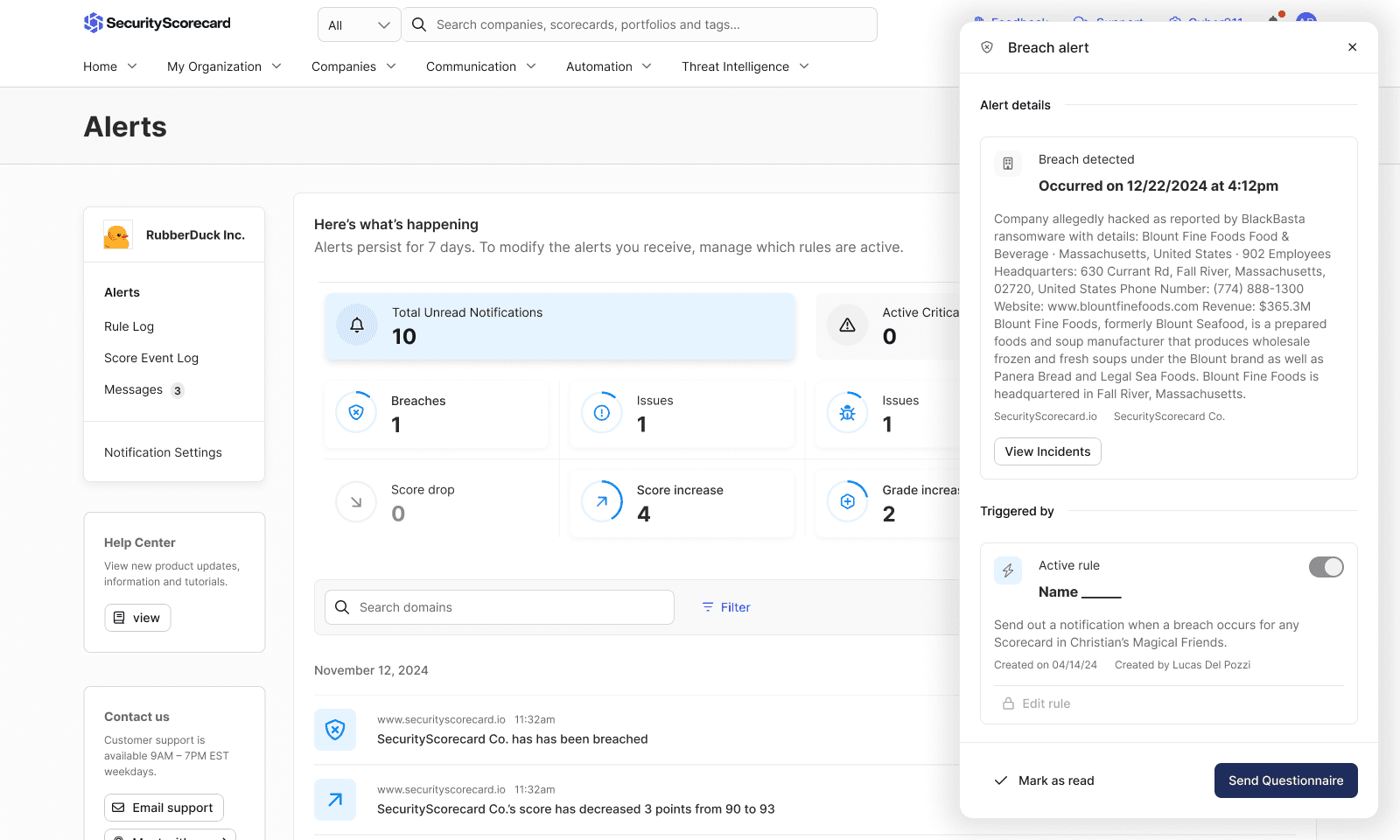
Detailed alert information
Once in the platform users can read more information pertaining to the alert and then take related actions.
They can also mark the alert as read or disable the alert from triggering in the future.
DESIGN DECISIONS
I identified an intuitive way to bring this feature to life without overbuilding it
I explored content strategy, interaction design and multiple notification options in Figma.
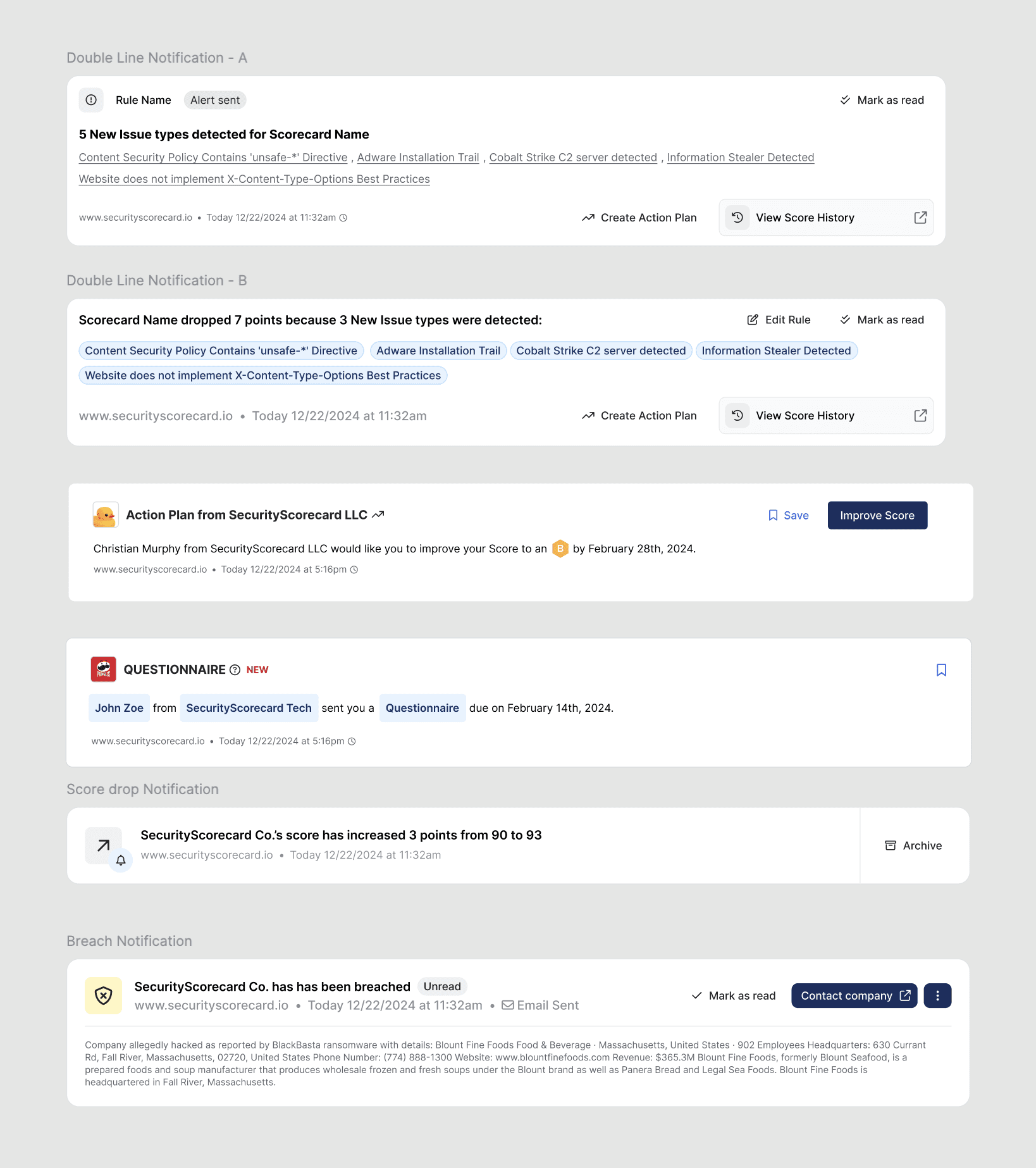
Different notification iterations I quickly mocked up to get feedback on notification content.
WHAT I LEARNED
Simplify content and interactions, less is more
We explored product direction and form factor, and designed for an experience that will show users how Moments work and the immediate value of Tomo.
Immediate value
Ensure that alerts are timely and provide people with enough information to make a decision whether they want to dig deeper.
Meet people where they are
Make alerts as easy to consume as possible using established technologies like integrations and email services.
Simplify decision-making
Reduce the amount of CTAs and make recommendations so people can do their job more effectively.